Claude Code安装并切换DeepSeek大模型的操作步骤
作者:互联网 时间: 2026-07-11 08:41:57
一、准备环境
1.1、安装 Node.js
Node.js 下载地址
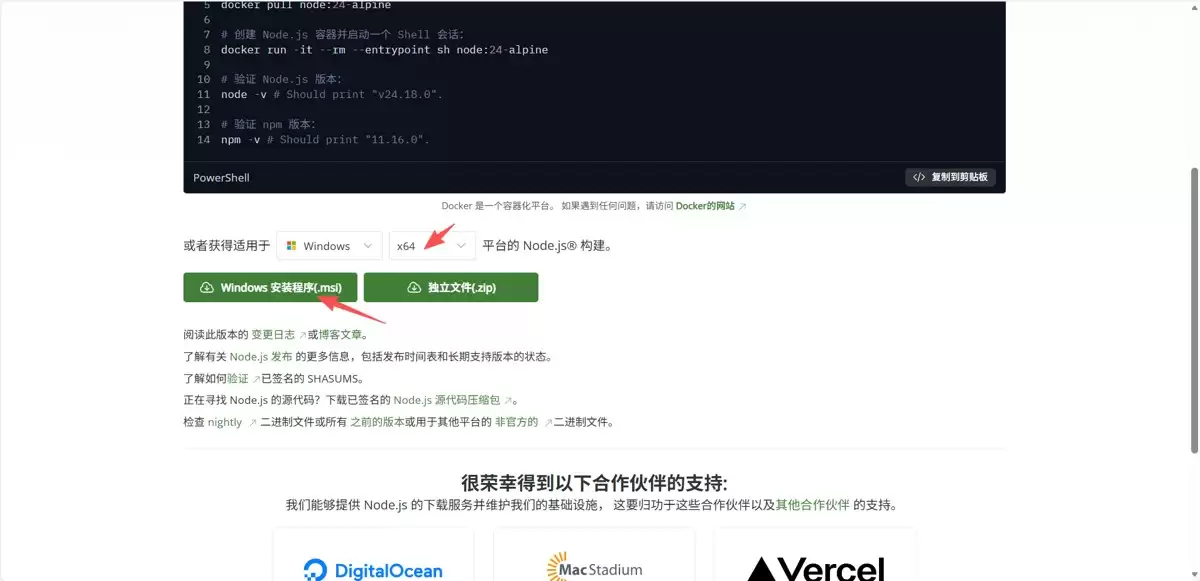
1.2、设置 node.js npm 镜像仓库
# 打开 powershell 执行这个命令
npm config set registry https://registry.npmmirror.com
1.3、安装 Git
Git 官方下载地址
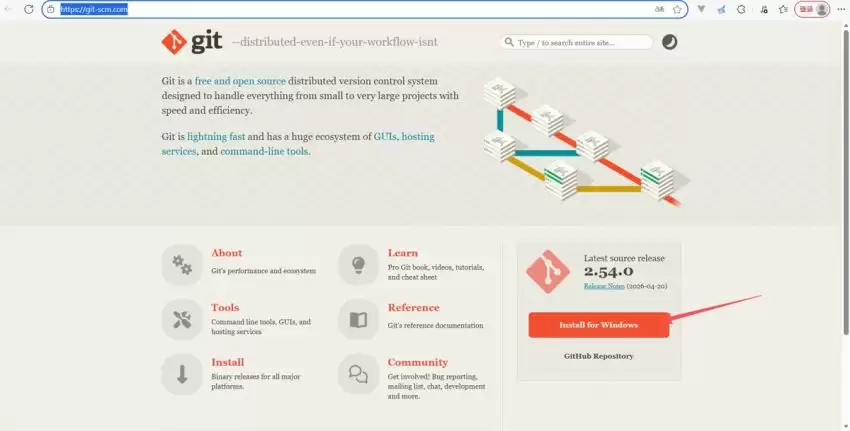
1.4、设置 Git 用户名和邮箱
# 打开 powershell 执行这个命令
git config --global user.name "你的用户名"
git config --global user.email "你的邮箱@example.com"
二、使用 ClaudeCode
2.1、安装 ClaudeCode
# 打开 powershell 执行这个命令
npm install -g @anthropic-ai/claude-code
# 完成后验证是否安装成功
claude --version
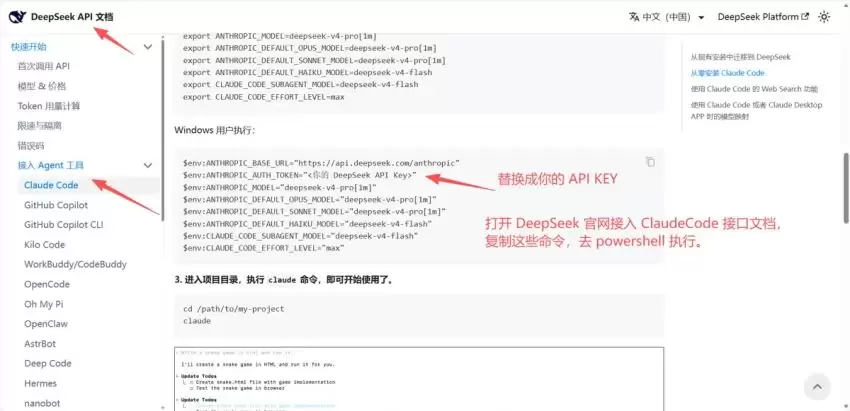
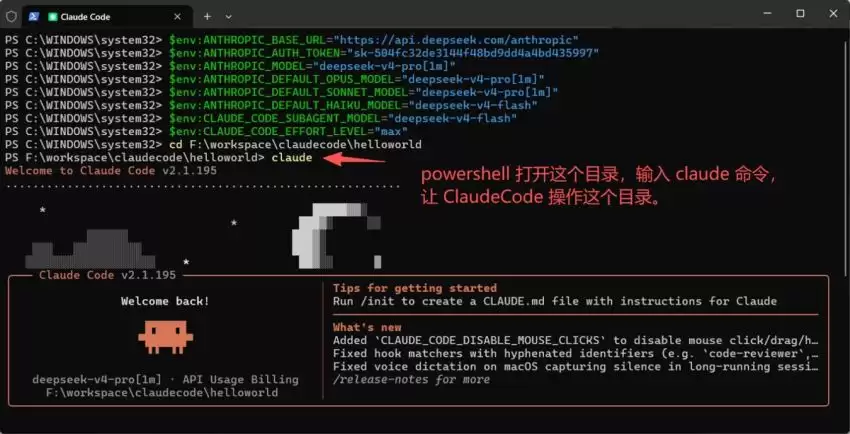
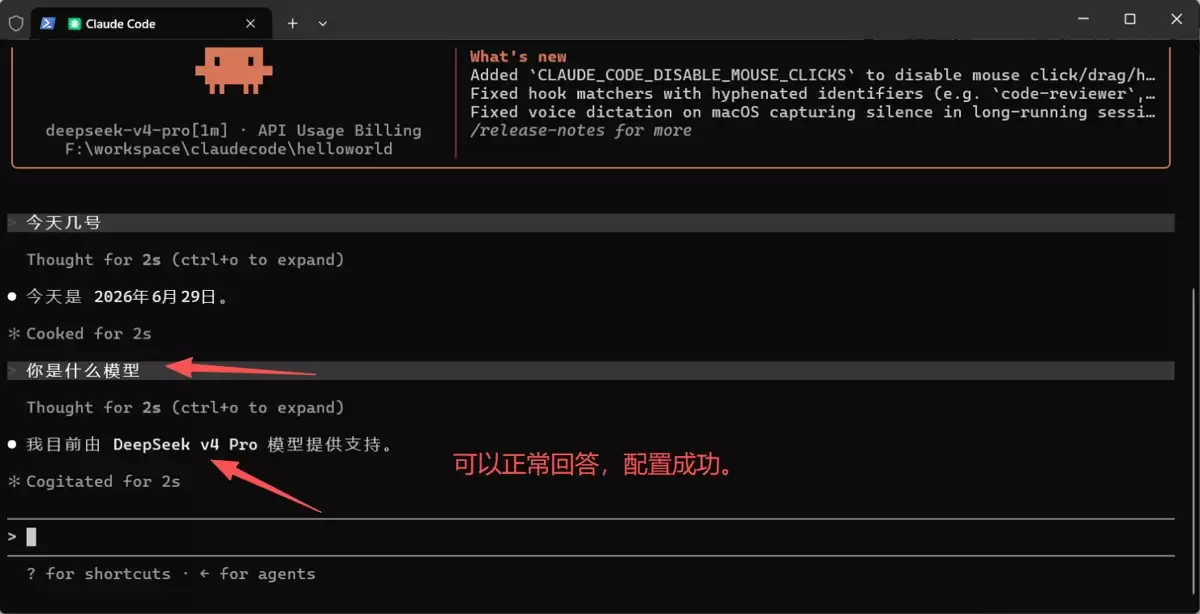
2.2、切换 DeepSeek 大模型
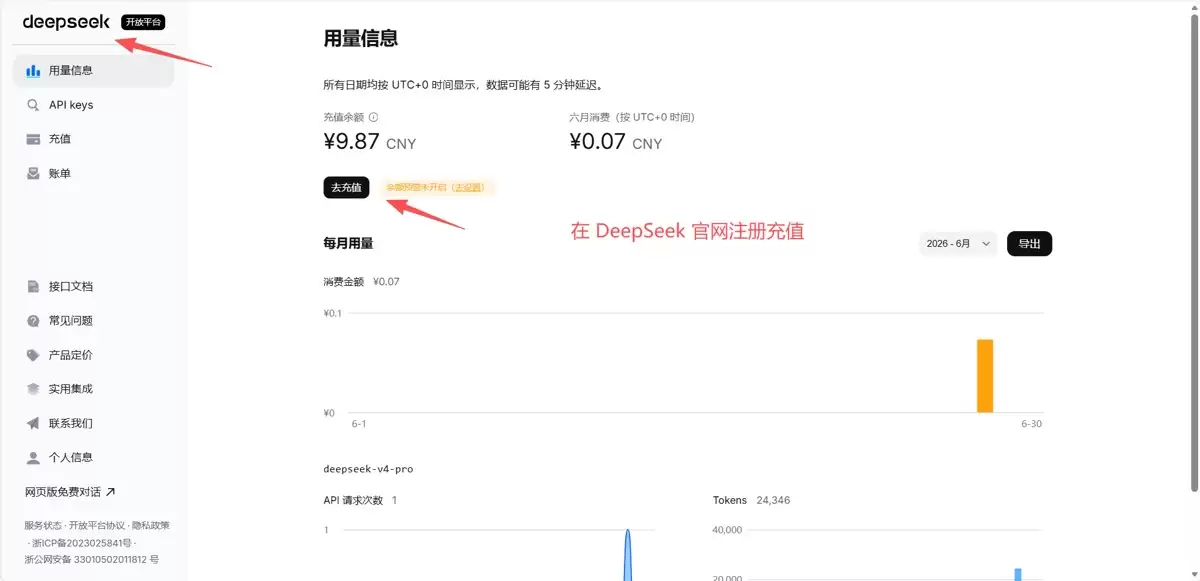
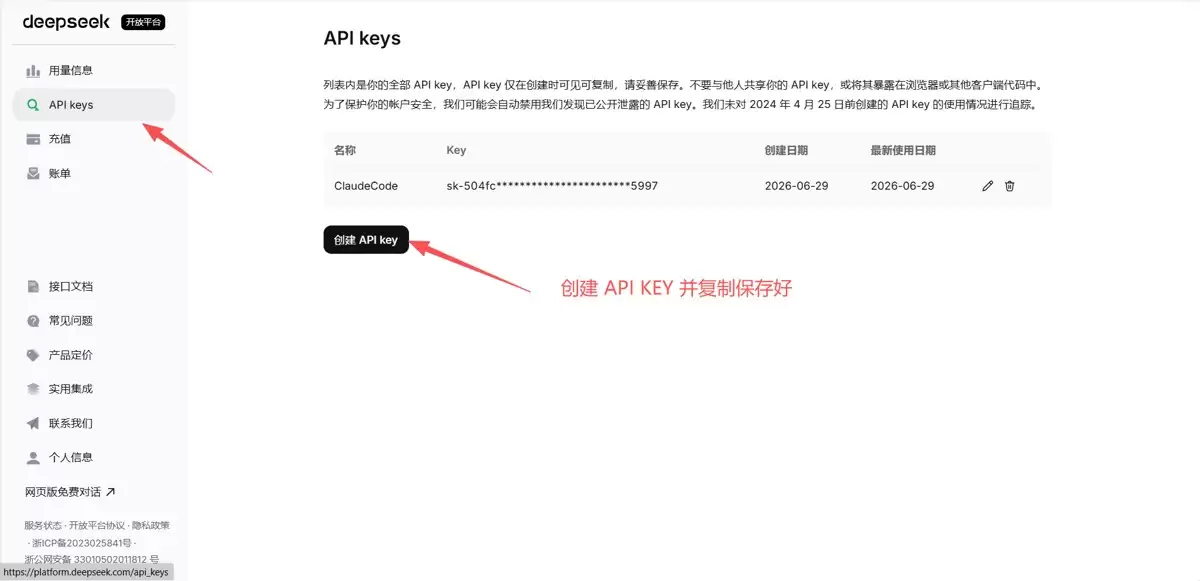
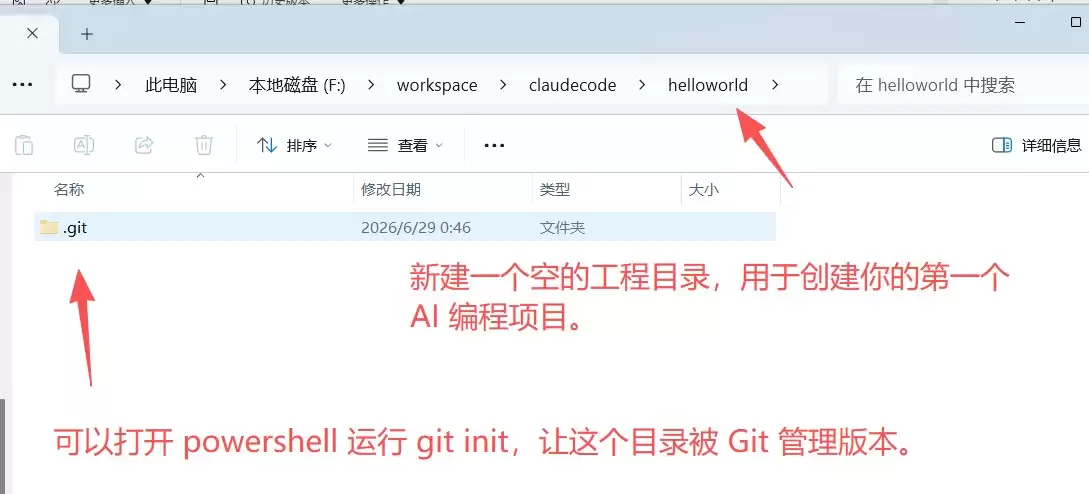
2.3、创建工程目录
相关资讯
-
- vue3中的事件修饰符完整指南
- 2026-10-18
-
- Codex CLI 登录失败排查流程:从命令状态、浏览器回调到脱敏支持记录实用指南
- 2026-10-17
-
- Redis基础篇之特性、使用场景与配置指南实用指南
- 2026-10-17
-
-
-
推荐专题
更多最新游戏
更多-
- 我竟然是姐姐的监护人手游
- 2024-12-02 8.1 分
-
- 三国战纪 (版本. 117) kov.zip
- 2021-06-17 7 分
-
- 三国霸略
- 2021-08-04 4 分
-
- 脑袋晕乎乎的忍耐辅助应用程序2安卓
- 2021-09-12 8.9 分
-
- 赘婿的复仇无限金币
- 2024-08-25 6 分