Codex Worktrees 使用
作者:互联网 时间: 2026-09-02 17:21:55
Worktrees 允许你在 Git 仓库中创建多个工作目录,使你能够并行处理不同的任务而不会相互干扰。
什么是 Worktree?
Git Worktree 是 Git 的一个功能,允许你在同一个仓库中创建多个工作目录。Codex 对 Worktree 提供了原生支持。
使用场景
- 并行开发多个功能
- 保持主分支干净
- 同时进行开发和代码审查
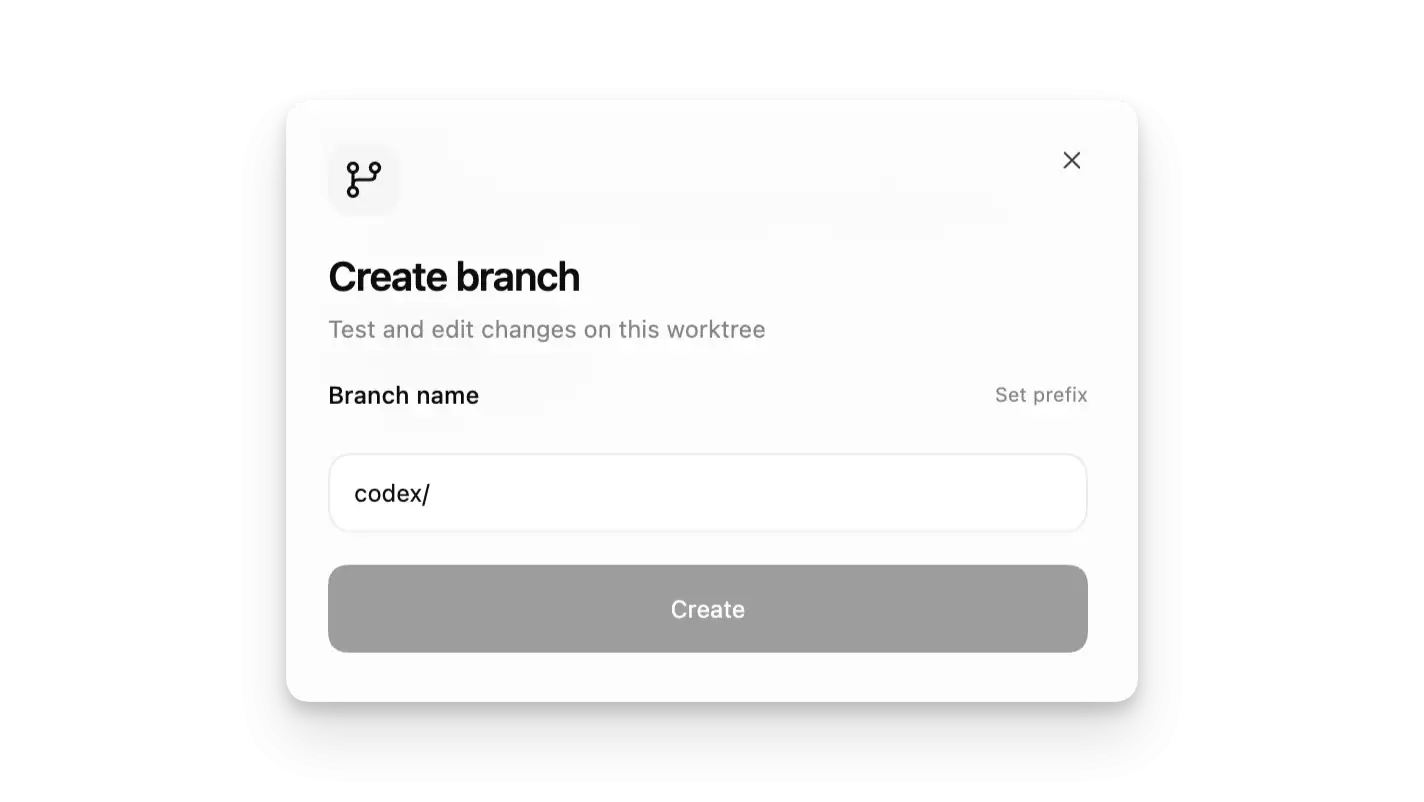
Worktree 让你可以像有多台电脑一样同时工作。
在 Codex 中使用 Worktree
创建 Worktree
创建 Worktree
# 在 Codex 应用中创建 Worktree# 1. 选择项目
# 2. 点击 "New" -> "Worktree"
# 3. 输入分支名称
# 4. 点击创建
在 Worktree 中运行任务
在创建线程时选择 Worktree 模式:
| 模式 | 说明 |
|---|---|
| Local | 在当前项目目录工作 |
| Worktree | 在独立的 Git worktree 中工作 |
Worktree 模式创建新的 Git worktree,保持变更隔离。
Worktree 管理
管理 Worktree
# 查看 worktree 列表git worktree list
# 创建新的 worktree
git worktree add ../feature-branch -b feature-branch
# 删除 worktree
git worktree remove ../feature-branch
最佳实践
- 为每个功能或修复创建独立的 Worktree
- 使用描述性的分支名称
- 完成后及时清理不需要的 Worktree
Worktree 是并行开发的利器,特别适合大型项目。
相关资讯
-
- vue3中的事件修饰符完整指南
- 2026-10-18
-
- Codex CLI 登录失败排查流程:从命令状态、浏览器回调到脱敏支持记录实用指南
- 2026-10-17
-
- Redis基础篇之特性、使用场景与配置指南实用指南
- 2026-10-17
-
-
-
推荐专题
更多最新游戏
更多-
- 我竟然是姐姐的监护人手游
- 2024-12-02 8.1 分
-
- 三国战纪 (版本. 117) kov.zip
- 2021-06-17 7 分
-
- 三国霸略
- 2021-08-04 4 分
-
- 脑袋晕乎乎的忍耐辅助应用程序2安卓
- 2021-09-12 8.9 分
-
- 赘婿的复仇无限金币
- 2024-08-25 6 分